Windows x64
.exe installer 823 MB
Download ↓ SHA-256 checksumDataGrip Direct Download

JetBrains’ database IDE — direct official downloads
DataGrip is JetBrains’ commercial database IDE — this page gives you direct official download links for Windows, macOS, and Linux, with SHA-256 checksums.
Straight from JetBrains
Every download button links directly to download.jetbrains.com — the official, code-signed installers. Nothing here is rehosted, repackaged, or modified.
Verify before you run
Each build links to its official SHA-256 checksum, so you can confirm the file is byte-for-byte what JetBrains published.
Independent & ad-free
An independent project, not affiliated with JetBrains. No ads, no cookies, and no third-party trackers — just the current version, read live from JetBrains’ public release API.
Independent site — not affiliated with JetBrains. Downloads are served directly by jetbrains.com.
All links point directly to download.jetbrains.com, JetBrains’ official download server. Nothing is rehosted or modified.
Windows x64
.exe installer 823 MB
Download ↓ SHA-256 checksumWindows ARM64
.exe installer 821 MB
Download ↓ SHA-256 checksumWindows x64
.zip archive (no installer) 1.0 GB
Download ↓ SHA-256 checksummacOS Apple Silicon
.dmg — M1/M2/M3/M4 Macs 986 MB
Download ↓ SHA-256 checksummacOS Intel
.dmg — Intel-based Macs 1.0 GB
Download ↓ SHA-256 checksumLinux x64
.tar.gz archive 1.0 GB
Download ↓ SHA-256 checksumLinux ARM64
.tar.gz archive 1.0 GB
Download ↓ SHA-256 checksumBoth macOS downloads install the same DataGrip, but the build must match your Mac’s chip for native performance.
| Apple Silicon build (.dmg) | Intel build (.dmg) | |
|---|---|---|
| M1, M2, M3, or M4 Macs | Runs natively | Runs via Rosetta 2 — slower, uses more battery |
| Intel-based Macs | Does not run | Runs natively |
| Best for | Any Mac sold since late 2020 | Older Intel Macs (macOS 12.0 or later) |
Unsure which chip you have? Open the Apple menu → About This Mac and check the Chip line.
The official download page is full of menus, banners, and cross-promotions. This page does one thing: it lets you download DataGrip for Windows, macOS, or Linux from direct official links, always showing the current version pulled from JetBrains’ own public release API. Every button points at download.jetbrains.com — nothing is rehosted, repackaged, or modified.
DataGrip is a database IDE made by JetBrains, the company behind IntelliJ IDEA and PyCharm. Instead of juggling a separate client for every database engine, you get one tool that connects to PostgreSQL, MySQL, MariaDB, SQL Server, Oracle, SQLite, MongoDB, Redis, ClickHouse, Snowflake, BigQuery, and dozens of other data sources through a unified interface.
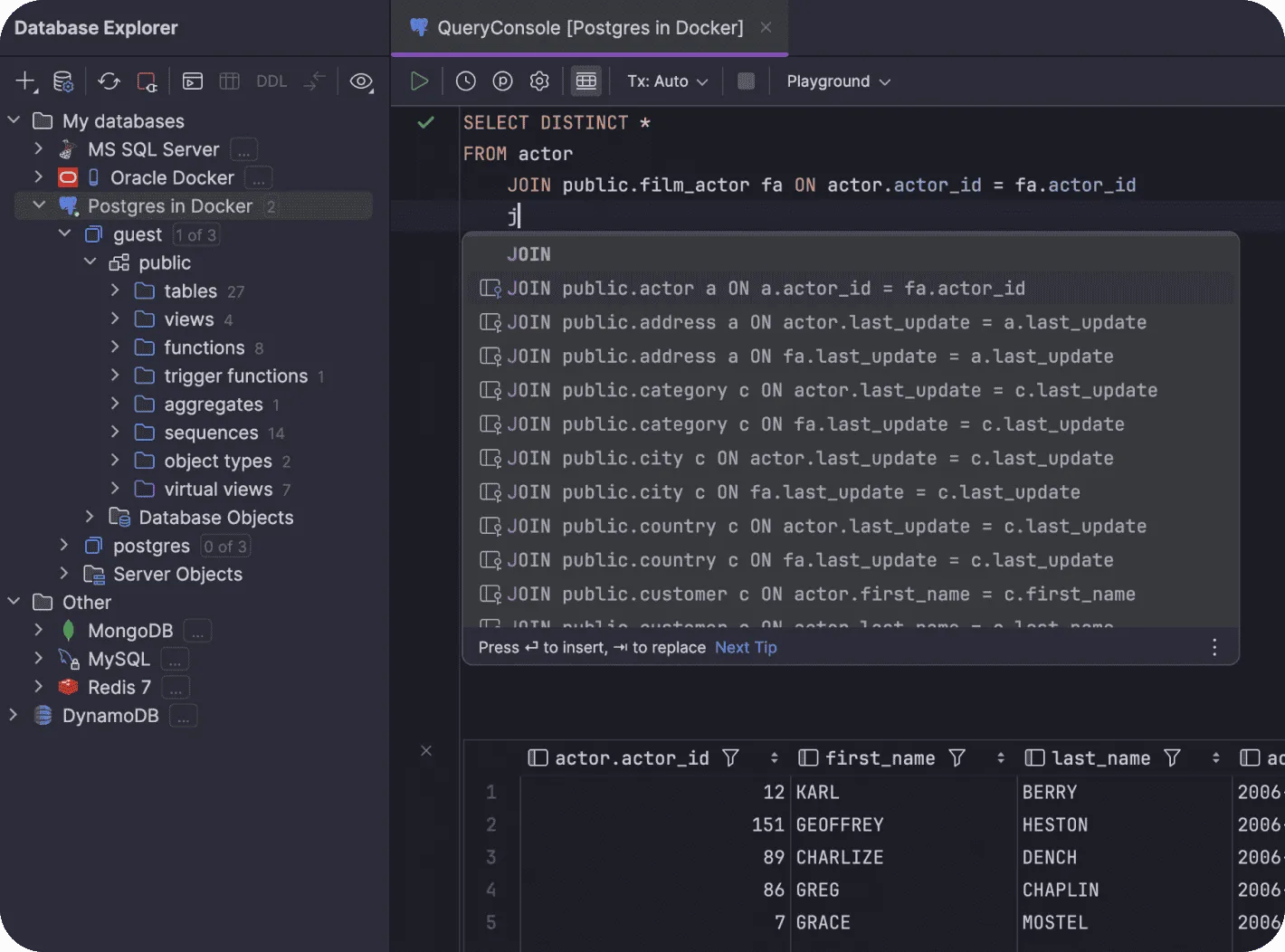
Day to day, that means a SQL editor that actually understands your schema: autocompletion that knows your tables and columns, on-the-fly error detection before you run a query, safe rename refactorings that update every reference, and a visual explain plan for tuning slow queries. There is also a data editor for browsing and changing rows in place, schema diff and migration tooling, and built-in version-control integration.
DataGrip is commercial software with a 30-day free trial. Use the buttons above to download DataGrip for Windows, macOS, or Linux — every link goes straight to JetBrains’ official installers, so you skip the marketing maze and get the exact same files.
DataGrip ships with its own bundled Java runtime (JetBrains Runtime), so you do not need to install Java separately. The full requirements are documented in JetBrains’ official installation guide.
| RAM | 4 GB minimum, 8 GB or more recommended |
|---|---|
| Disk space | 3.5 GB free, SSD strongly recommended |
| Display | 1024×768 minimum, 1920×1080 recommended |
| Windows | Windows 10 or 11 (64-bit, x64 or ARM64) |
| macOS | macOS 12.0 or later (Intel or Apple Silicon) |
| Linux | 64-bit distribution with glibc 2.17+ (x64 or ARM64); GNOME, KDE, or similar desktop |
Once you download DataGrip, pick your operating system below to install it in a few minutes. Each guide uses the exact installer linked in the Downloads section above.
You can download DataGrip free for 30 days — every installer here includes the full-featured trial with no payment details required. There is no separate free edition, but the trial is the complete IDE, so download DataGrip free, install it, and use everything for a month. After the trial, DataGrip needs a paid JetBrains subscription, though students, teachers, and maintainers of qualifying open-source projects can get a free license, and it is part of the All Products Pack. So you can download DataGrip free to evaluate it, but it is not free software long-term.
No — unlike IntelliJ IDEA and PyCharm, there is no free DataGrip Community Edition to download. People often try to download DataGrip Community Edition because other JetBrains IDEs have one, but DataGrip ships as a single commercial edition with a 30-day trial. If you are looking for a way to download DataGrip Community Edition, the closest options are that free trial, a student or open-source license, or the All Products Pack subscription.
To download DataGrip for Windows, use the Windows x64 .exe installer in the Downloads section for most PCs, or the Windows ARM64 build for Snapdragon and other ARM laptops. Every Windows link points straight to download.jetbrains.com, so you get the same signed installer JetBrains ships. Run it, then start a 30-day trial or sign in with a licensed JetBrains account.
No — this is an independent page with no affiliation to JetBrains. However, every download button links directly to jetbrains.com servers, and the version information is read from JetBrains’ public release API. You get exactly the same files as on the official site, just without the clutter.
Choose the macOS Apple Silicon (.dmg) build if your Mac has an M1, M2, M3, or M4 chip — that covers every Mac released since late 2020. The Intel build runs on Apple Silicon through Rosetta 2, but it is noticeably slower and uses more battery. Check your chip under Apple menu → About This Mac.
Out of the box: PostgreSQL, MySQL, MariaDB, Microsoft SQL Server, Oracle, SQLite, MongoDB, Redis, Cassandra, ClickHouse, Snowflake, BigQuery, Redshift, DynamoDB, CockroachDB, Exasol, H2, HSQLDB, Db2, Greenplum, Vertica, and more. Anything with a JDBC driver can usually be connected as a custom data source even without first-class support.
DataGrip checks for updates itself and installs small patch updates in place (Help → Check for Updates). For hands-off updates across JetBrains tools, use the free JetBrains Toolbox App, which keeps every IDE current automatically. Your settings, data sources, and license carry over between versions.
Yes — nothing is hosted here. Every download button on this page links directly to download.jetbrains.com, JetBrains’ official download server, over HTTPS, and each build links to its official SHA-256 checksum so you can verify the file is byte-for-byte what JetBrains published. The installers themselves are code-signed by JetBrains.
After the 30-day trial, DataGrip requires a paid JetBrains subscription, billed per user with a price that decreases in the second and third year. Current prices are listed on the official JetBrains pricing page. Students, teachers, and maintainers of qualifying open-source projects can apply for a free license, and DataGrip is also included in the All Products Pack.
No — you can install DataGrip’s new version straight over the old one. On Windows the installer upgrades in place, on macOS you replace the app in Applications, and patch updates apply from inside the IDE. Your settings, data sources, and license carry over automatically.
No cookies here. We collect only anonymous, cookieless analytics. No personal data is stored or shared.